
Scan. Extract. Never miss a deadline.
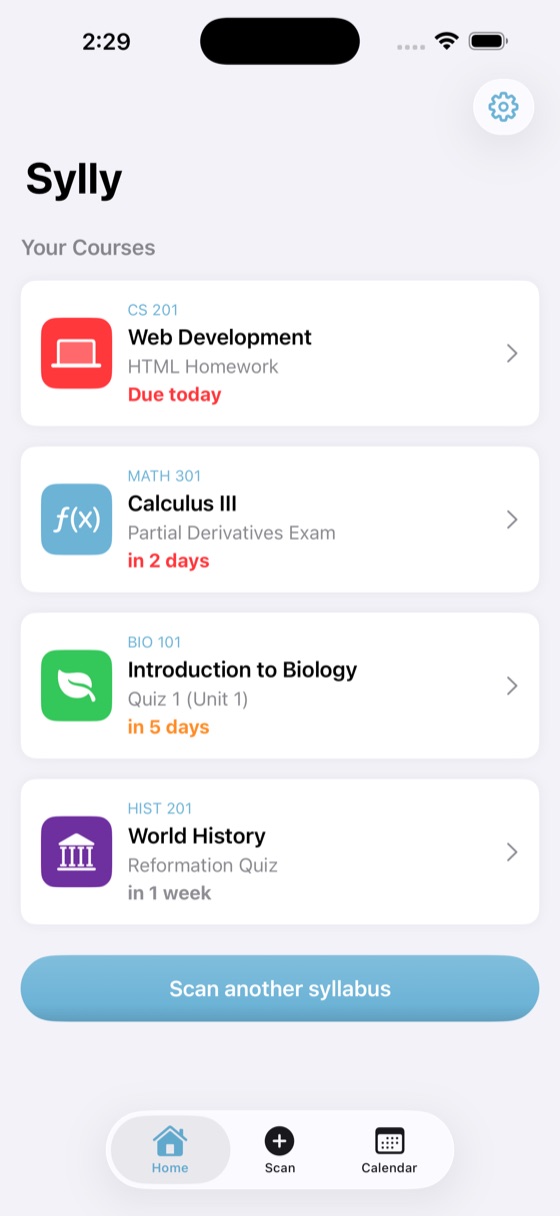
Point your iPhone at a syllabus. Sylly pulls out every assignment and due date, lets you check them, and puts them on your calendar.

4.9 from 50 ratings
Free for iPhone
How it works
One syllabus takes about a minute, start to finish.
-
 1
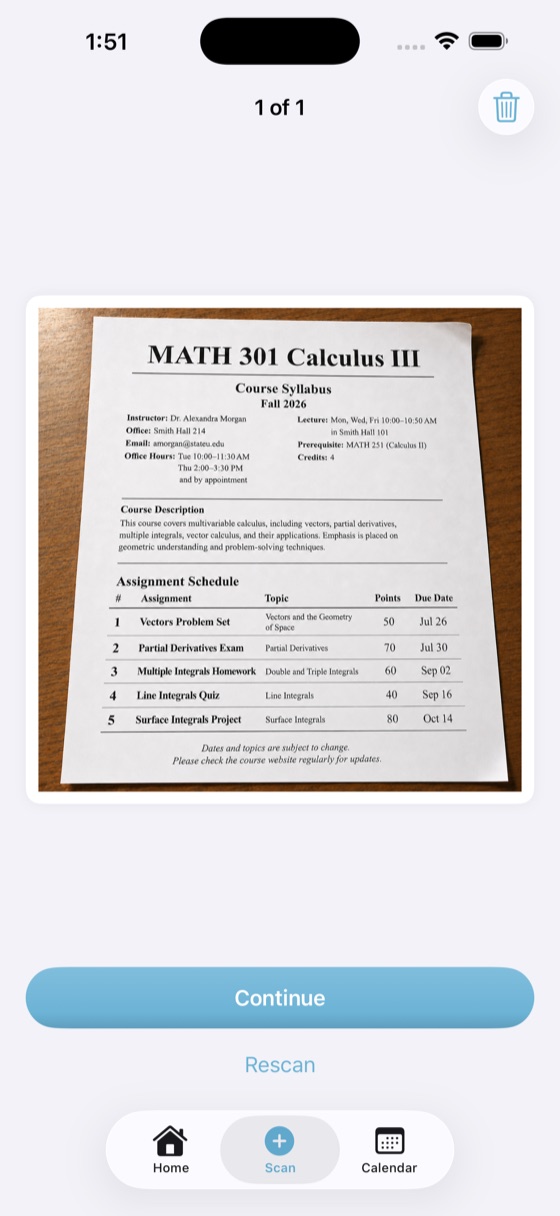
1Scan your syllabus
Use the camera, pick photos, or import a PDF. Multi-page syllabi work.
-
 2
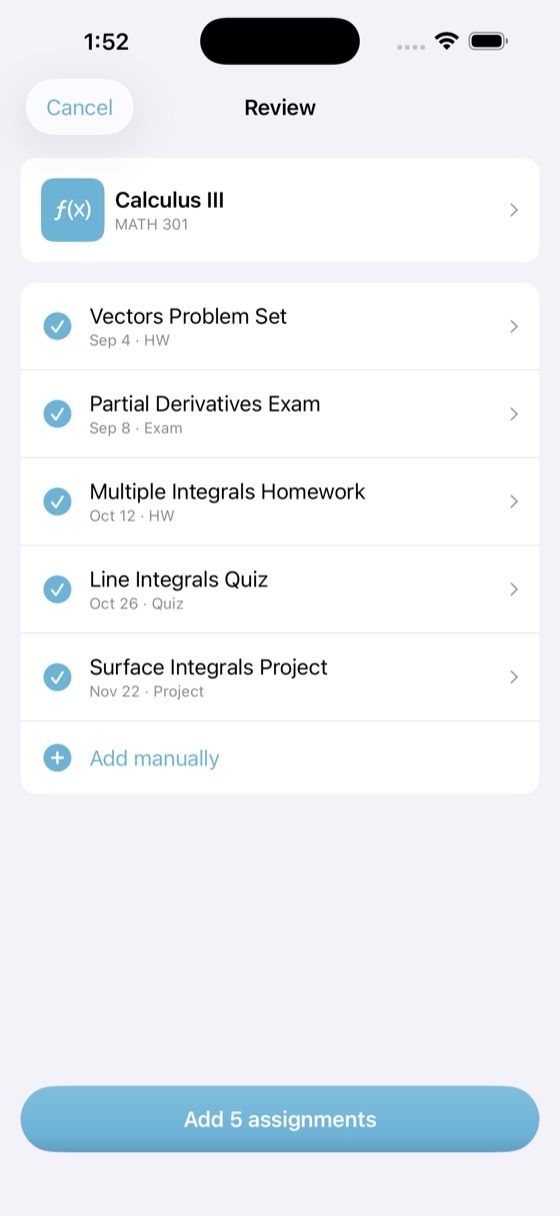
2Review what Sylly found
Every title, date and type can be edited before anything is saved.
-
 3
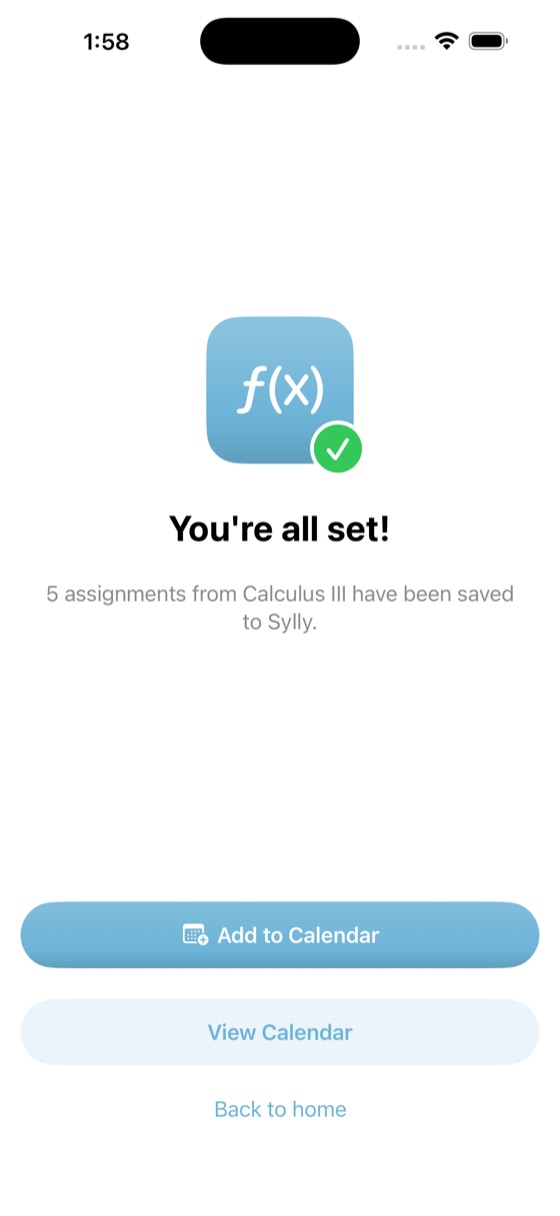
3Add it to your calendar
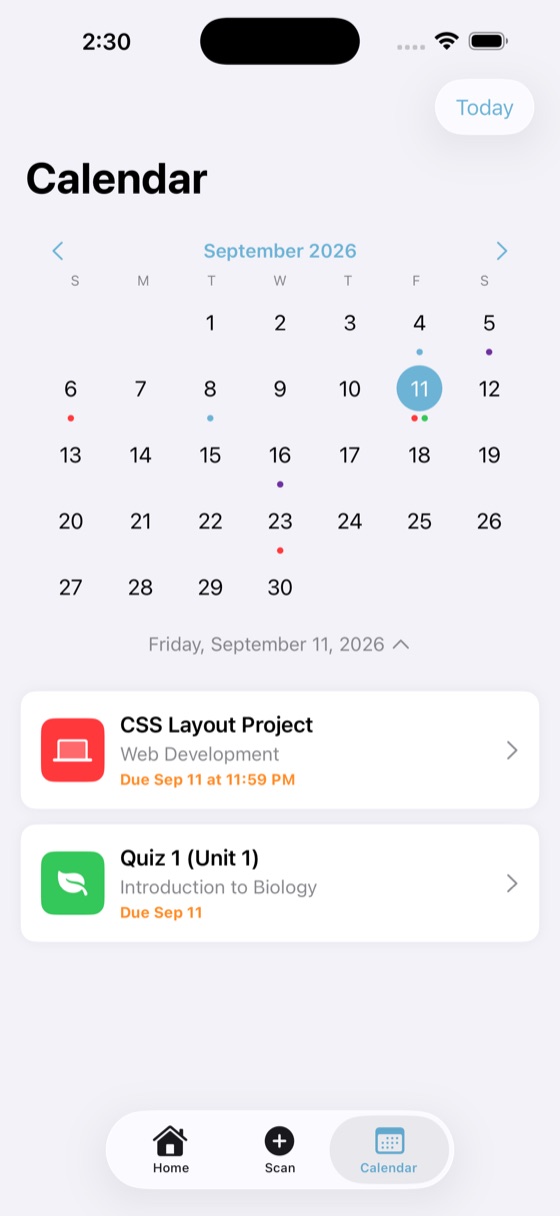
One tap sends every due date to Apple Calendar with a reminder the day before.
More than due dates
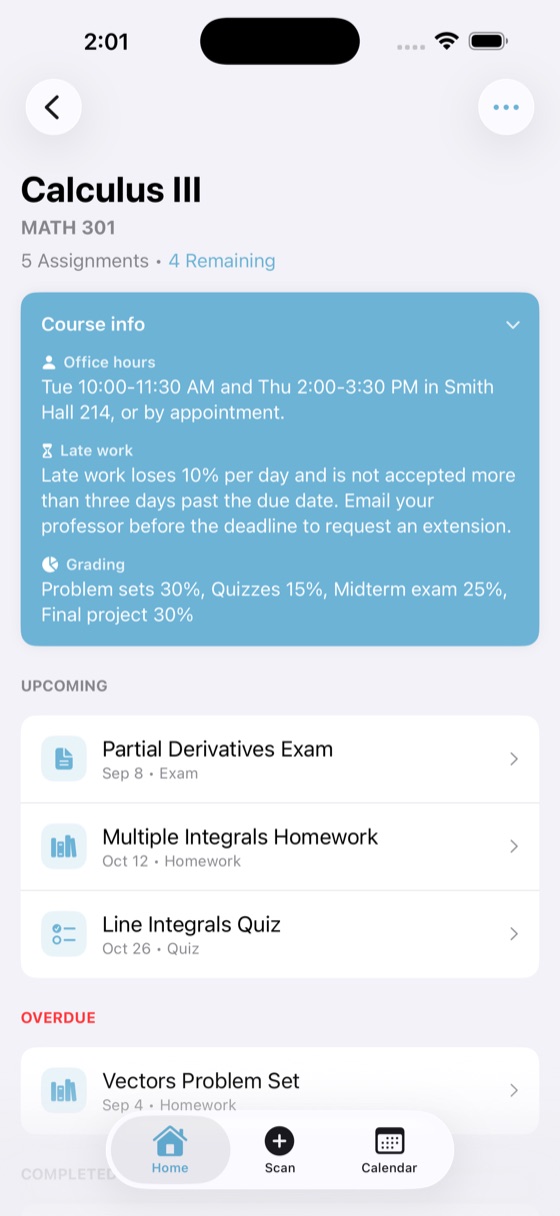
When your syllabus includes them, Sylly also saves the details you end up searching for mid-semester.
- Office hours
- Tue 10:00–11:30 AM and Thu 2:00–3:30 PM in Smith Hall 214
- Late work
- Loses 10% per day, not accepted after three days
- Grading
- Problem sets 30%, quizzes 15%, midterm 25%, final project 30%
Example taken from a sample Calculus III syllabus.
What you get
Camera, photos or PDF
Scan pages with the camera, choose photos, or import a PDF from Files.
You approve everything
Nothing is saved until you have checked it. Fix a title, date or type in a tap.
Apple Calendar export
Due dates become all-day events with a reminder. Duplicates are skipped.
Reminders that fit the work
Set a lead time for each assignment, so a final shows up earlier than a reading.
Week and month views
See what is due today, this week, or across the whole month.
Saved on your iPhone
Courses and assignments live on your device and open without a connection.
Questions
Is Sylly free?
Yes. Sylly is free to download and use.
What kinds of syllabi can it read?
Printed pages through the camera, photos already on your phone, and PDF files. Syllabi with several pages are fine.
What if it gets a date wrong?
You see every assignment on a review screen before it is saved, and you can edit or delete anything later.
Which calendar does it use?
Sylly exports to Apple Calendar. The export goes one way, so changes you make in the calendar do not come back into Sylly.
What happens to my syllabus?
Only the text is sent for processing, through a server that does not store it. Images are never sent, and your courses stay on your iPhone. The privacy policy has the details.
Is there an Android version?
No. Sylly is for iPhone, on iOS 17 or later.
Your whole semester, from one scan